
Hi guys,
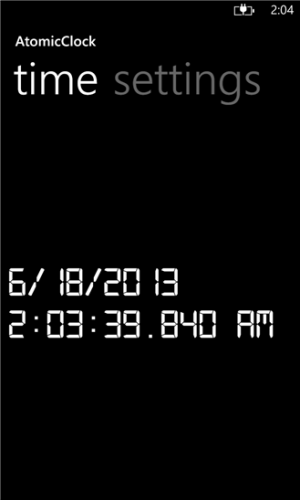
as my L920 is still rebooting for some reason sometimes and I always have to manually set the clock afterwards, I thought it was time to bring a good clock app in the market which gets its time from NTP-timeservers. So this is the result:
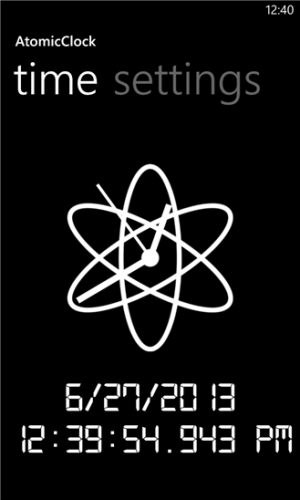
Ever wanted to know exact current time to celebrate someone's birthday or New Year's Eve? Or simply to synchronize clocks? AtomicClock provides exact times based on NTP servers which are getting their time directly from atomic clocks!
Main features:
- current time in correct time format
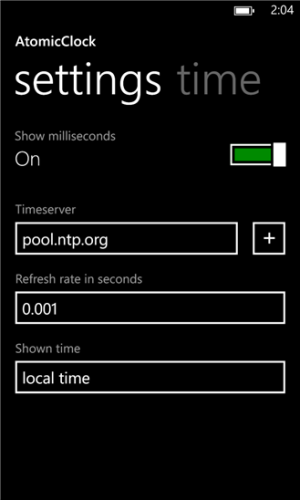
- choose from different time servers
- add timeservers of your choise
- switch between local time and UTC
- choose time refresh rate
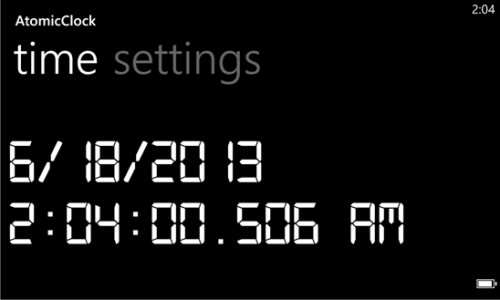
- panorama mode
Due to Windows Phone limitations it is currently not possible to automatically synchronize phone time with atomic clock time.
http://www.windowsphone.com/s?appid=80d849e2-24df-4016-b3f5-cfbf6f664438
Maybe some of you like it.
Comments/criticism/ratings are always appreciated!
Greetings
as my L920 is still rebooting for some reason sometimes and I always have to manually set the clock afterwards, I thought it was time to bring a good clock app in the market which gets its time from NTP-timeservers. So this is the result:
Ever wanted to know exact current time to celebrate someone's birthday or New Year's Eve? Or simply to synchronize clocks? AtomicClock provides exact times based on NTP servers which are getting their time directly from atomic clocks!
Main features:
- current time in correct time format
- choose from different time servers
- add timeservers of your choise
- switch between local time and UTC
- choose time refresh rate
- panorama mode
Due to Windows Phone limitations it is currently not possible to automatically synchronize phone time with atomic clock time.
http://www.windowsphone.com/s?appid=80d849e2-24df-4016-b3f5-cfbf6f664438
Maybe some of you like it.
Comments/criticism/ratings are always appreciated!
Greetings




 Facebook
 Twitter
 Instagram