Apps disappearing

grasuandrei

New member
Apr 15, 2014
14
0
0
Hello guys. Yesterday I've upgraded my L620 to WP8.1. After the update is complete and get used to it, I decided to move some of my apps on SD, and in the same time, some changes to regional settings lead me to a restart. When my phone restarted, I had no apps in app list. The apps are still there coz i can open them through Cortana. This morning, I check for updates in the new store, and seems that the apps updated reappeared on my app list, but nothing else. No Calculator, phone, messaging, no settings ....what can i do? Thanks in advice.
 
really odd. not heard of it from anybody else. can u post sceenshots? new screenshots shortcut is Power+Volume Up key.
 
me too having the same problem. apps are missing even the original factory setting apps like settings, phone, people etc(these are factory settings). when swiped right to left, no applications are displaying. but it is available in SD card and some applications can also be accessed from the main screen. still live but not visible. pl help
 
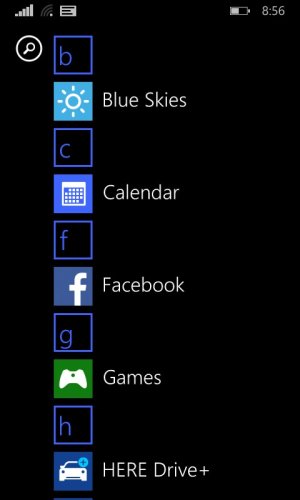
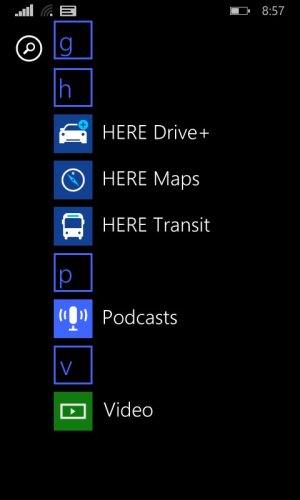
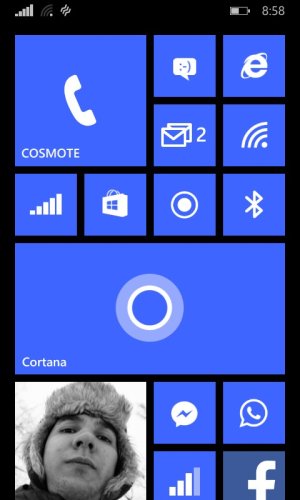
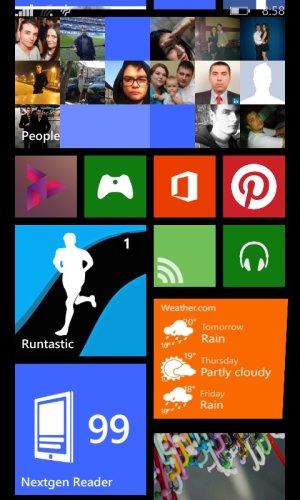
Here are some screenshots. The apps from app list are the one that updated this morning. Anyway, even if i dont have them in app list, i can still use them through live tile.
Thanks for helping!
 

Attachments

  • wp_ss_20140415_0001.jpg
    wp_ss_20140415_0001.jpg
    36.7 KB · Views: 2
  • wp_ss_20140415_0002.jpg
    wp_ss_20140415_0002.jpg
    35.5 KB · Views: 3
  • wp_ss_20140415_0003.jpg
    wp_ss_20140415_0003.jpg
    59.2 KB · Views: 3
  • wp_ss_20140415_0004.jpg
    wp_ss_20140415_0004.jpg
    92.4 KB · Views: 3
I had them activated when the bug came. My start screen looked like this and my app list full. After the problem appeared, the app list disappear, but start screen stood still so i can still use them. Anyway, you can tell cortana : for example "open phone" and she open your phone. Let's hope it will be solved soon enough.
 
2 hrs back downloaded facebook apps and now that has also got vanished from the apps. Somebody please help. there is a bug and don't know how to resolve it
 
I did a hard reset too, but i have Cortana. Set region and phone language to United States and English respectively.
I'm curious what happened. Posted it on many threads but i didn't get an answer.
 
Cortana is once installed, is installed.
after installation, irrespective of ur region, u can summon her by long pressing the search key.
if u change the region, she shall disappear from the app list, but she is still there.
 
thanks for the info, after hard reset she got dissappeared and only male voice is coming, but not Cortana
 
thanks for the info, after hard reset she got dissappeared and only male voice is coming, but not Cortana

male voice is coming bcoz u have configured it so (or may be by default). change the region and language settings. she will appear again. then configure her properly. after that, whatever u wish, u need her tile, keep the settings as it is. otherwise, u may change settings. she will disappear, but still usable.
 
in spite of region and language changing to US and rebooting i couldn't get Cortana and even speech for accessibility is also missing in "ease of access" option. pl guide or help me out
 

Trending Posts

Forum statistics

Threads
343,350
Messages
2,266,433
Members
428,907
Latest member
longinotti101