Black update adds low resolution pics in IE

anon5997296

New member
May 16, 2013
481
0
0
I updated to black today, as soon as I read here that it was out. But, after updating, I see that images in Internet Explorer are of low quality.. Especially small images. Before, I was on developer's preview GDR3 and the images would be crisp then. Is there any setting like Image quality for IE mobile?
 
I updated to black today, as soon as I read here that it was out. But, after updating, I see that images in Internet Explorer are of low quality.. Especially small images. Before, I was on developer's preview GDR3 and the images would be crisp then. Is there any setting like Image quality for IE mobile?

Now that you've mentioned it.. i tried it also and compared it with the UC Browser.. it appears to be the case..

It might be compressing the photos and such for faster loading..

anyone knows how to bring it back to a higher quality images?
 
If it's a general bug for L920 with Black, Nokia should send a fix soon.
 
could it be DataSense kicking in? I know DataSense has a setting to "reduce data usage while browsing by sending URL to the DataSense-Service". Vodaone devices just got data sense with the black update, maybe that's the cause?
 
I'm having the problem even in UC Browser. Ohh God.. What the hell!! Any solution on this?? I just can't reset my phone as I had before and after updating to black. As I wanted to do a clean install. And downloading all the games and apps again.. Even 3G data in India costs too much.. Can't do that.. Any other solution??
By the way, how to change the tiltle of this thread. I was typing fast and didn't notice some letters weren't typed.. Sorry for that..
 
Just out of curiousity, can you provide a ULR/Link to a site that looks particularly bad in IE? Preferably with a screenshot of what it looks like on your device.

On my Lumia 920 with black, I can not notice anything unusual.
 
Just out of curiousity, can you provide a ULR/Link to a site that looks particularly bad in IE? Preferably with a screenshot of what it looks like on your device.

On my Lumia 920 with black, I can not notice anything unusual.

Same here, two 920s here on Black and no problems - share links of some websites on which pictures appear blurry
 
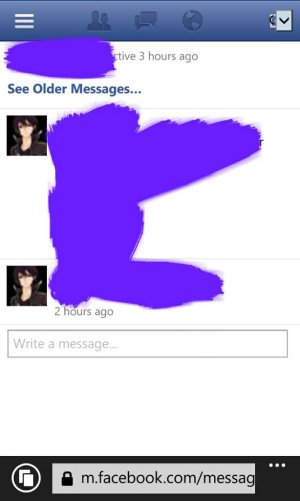
Facebook chat through IE.. You can see my profile pic is too pixelated. It was not like that before with the same pic..
 

Attachments

  • 1390920693140.jpg
    1390920693140.jpg
    40 KB · Views: 3
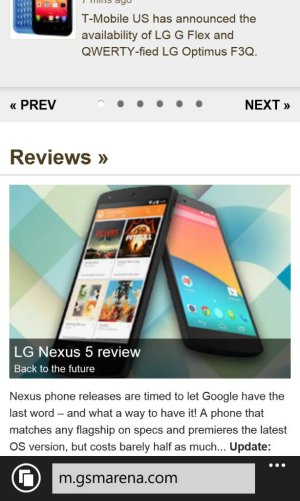
This is gsmarena mobile site.. You can see the pic is blurry..
 

Attachments

  • 1390920841379.jpg
    1390920841379.jpg
    71.1 KB · Views: 4
Did anyone notice or experience that pictures in Facebook, when using IE, are bit off the screen? Whether it's my picture or someone's, or from a fan page, when I go specifically to the picture, some parts (almost half) go off the screen. But when you rotate the screen, it's fine, though.
 
Did anyone notice or experience that pictures in Facebook, when using IE, are bit off the screen? Whether it's my picture or someone's, or from a fan page, when I go specifically to the picture, some parts (almost half) go off the screen. But when you rotate the screen, it's fine, though.

yes, me too
 
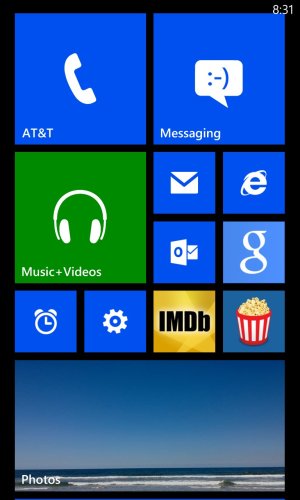
My phone started ****ting the bed this morning. The lock screen, music page where it shows the background of the band you are listening to, and the photo icon are really pixellated. So I just went to post a screenshot and when I post it here it looks normal! What the hell? Any idea what could be making the display look so ****ty. Its like the pictures are set to a really low resolution...like in the old days when you booted into safe mode in windows. I even did a reset to factory defaults.

any ideas?


wp_ss_20140208_0005.jpg
 

Attachments

  • wp_ss_20140208_0004.jpg
    wp_ss_20140208_0004.jpg
    121.5 KB · Views: 4

Trending Posts

Members online

No members online now.

Forum statistics

Threads
341,687
Messages
2,264,760
Members
428,839
Latest member
udidwht