
Hi,
Till date I have been a super happy user with my Nokia Lumia 920.
Since a couple of days, I realised that some of my contacts in the people's hub that are starting with the letter "S" have been moved before the letter "A" under the "#" field. (See Screenshot Below)
Although the same does not appear on my people's hub in my Windows 8 laptop.
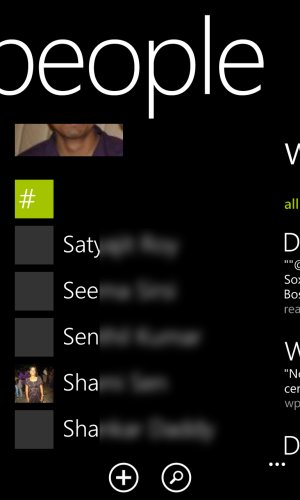
I tried solving this issue by deleting the contacts and adding them manually, by deleting the accounts and re-adding them in the people's hub, by deleting and re-adding the accounts through the mail settings. None solved my issue.
I realised that the moment I add a contact on my phone with some number as the contact name, automatically this particular contact comes under the "#" field and all other contacts starting with "S" that were in the "#" field get moved under the appropriate letter. Just as it should be. (See Picture below)
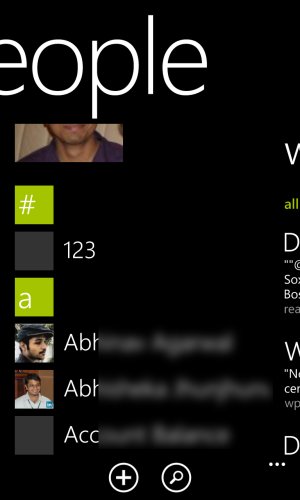
But again the moment I delete this contact starting with a number, those previous contacts appear back under the "#" field just as in the first picture.
I've searched the web for an answer before posting this thread. Looks like its not a common issue.
Has any one had a similar problem. Can someone please help me solve this issue. Its pretty irritating to see contacts starting with "S" the moment I tap on the people's hub.
I tried a soft reset, which has not solved the issue. I really do not want to do hard reset.
Please help.
Thanks
Till date I have been a super happy user with my Nokia Lumia 920.
Since a couple of days, I realised that some of my contacts in the people's hub that are starting with the letter "S" have been moved before the letter "A" under the "#" field. (See Screenshot Below)
Although the same does not appear on my people's hub in my Windows 8 laptop.
I tried solving this issue by deleting the contacts and adding them manually, by deleting the accounts and re-adding them in the people's hub, by deleting and re-adding the accounts through the mail settings. None solved my issue.
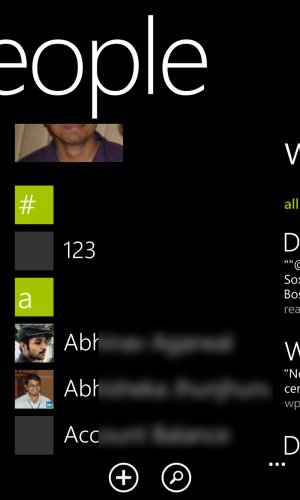
I realised that the moment I add a contact on my phone with some number as the contact name, automatically this particular contact comes under the "#" field and all other contacts starting with "S" that were in the "#" field get moved under the appropriate letter. Just as it should be. (See Picture below)
But again the moment I delete this contact starting with a number, those previous contacts appear back under the "#" field just as in the first picture.
I've searched the web for an answer before posting this thread. Looks like its not a common issue.
Has any one had a similar problem. Can someone please help me solve this issue. Its pretty irritating to see contacts starting with "S" the moment I tap on the people's hub.
I tried a soft reset, which has not solved the issue. I really do not want to do hard reset.
Please help.
Thanks
Attachments
Last edited:



 Facebook
 Twitter
 Instagram