
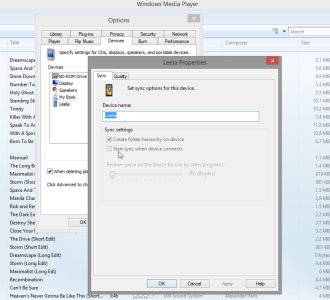
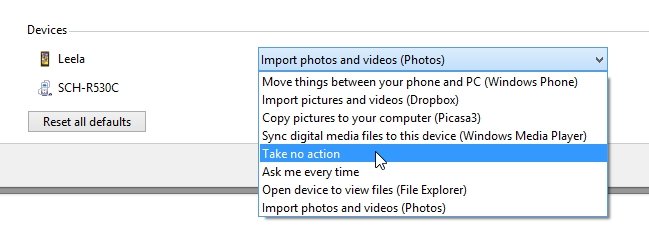
How to prevent Windows Media Player from starting automatically everytime WP8 plugs in?
- Thread starter astroXP
- Start date



Similar threads
- Question
- Windows Central Question
- Hardware Support: Ask a Question

- Question
- Windows Central Question
- Hardware Support: Ask a Question


Trending Posts
-

-
 Epic Store free game. "Jurassic World Evolution 2"
- Started by LightenSkies
- Replies: 1
-
 Windows 10 Themes no longer working...
- Started by DocCovington
- Replies: 6
-


 Facebook
 Twitter
 Instagram