Messaging Skype Beta Not in Store! No SMS

Status
Not open for further replies.

MistrWashington

New member
Jun 18, 2014
10
0
0
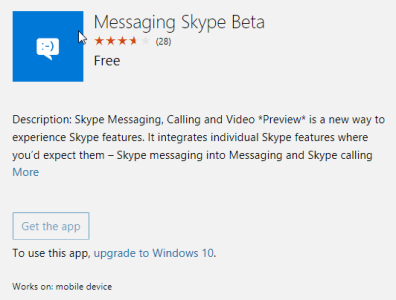
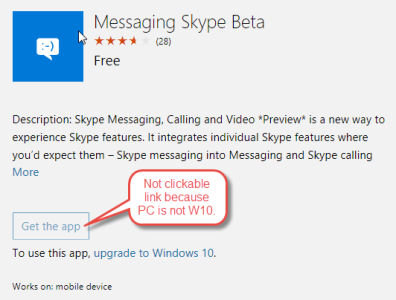
Hello, upgraded to latest build overnight 10536, and no messaging app. I hit the forums, found out it was a common bug and looked like I needed to install the messaging Skype beta app. However, that app is not listed in the store under any name I can find! I am using an AT&T Lumia 1520, obviously on the fast ring of windows insider. I've already done a soft reset another hard reset. Still no way to send or receive messages as I still don't have any application! :unhappysweat::angry: Tried clicking a couple of links from the forums that people posted, but the PC I'm on is NOT Windows 10, and thus the links to the original messaging app and the newer skype app were grayed out. I also tried clicking them from the WC app in the forum section and they didn't work from there either. Anybody got any idea, besides rolling back to 8.1 on what I can do? Thank you.
Records Lite222.png
 

Attachments

  • Records Lite222.png
    Records Lite222.png
    24.9 KB · Views: 47
Last edited:
There's a Windows Central article about the apps releasing, why not download ( on a phone) from the links on that article
 
someone2639 - that's what I tried, in the WC app (on my phone) I cant even download the application from the story.
 
I had exactly the same problem. Was starting to get stressed that I would have no SMS!

I navigated to the windowscentral article and went to the link from there on my phone and it magically appeared in the store. Don't know why it wasn't there when I searched
 
Strangely, I upgraded a 920 and 635 both to the newest build, and then hard reset both. For some reason, the 920 had no Messaging app and the 635 had it installed.

I prefer the way the 920 has it, so that I only have the one Messaging Skype beta and nothing else, but still.
 
Status
Not open for further replies.

Forum statistics

Threads
342,637
Messages
2,265,714
Members
428,873
Latest member
greysonkorn