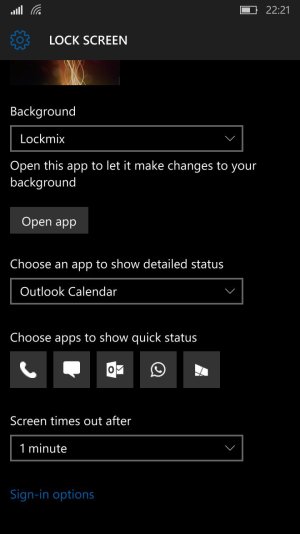
So yesterday got updates in the store for Outlook mail and a few other apps. Previously I was getting notify icons on the lockscreen when I received texts, emails, etc. Now all of a sudden I don't get any notifications to show on the lockscreen. I did have a problem before that where separate inboxes that were pinned wouldn't show notifications on the lockscreen (would only show if selected Outlook Mail as a whole). However, now nothing shows when I receive an email or text. Anyone else having this problem? I've already tried clearing and re-adding all icon notifications on the lockscreen.

No Noticaions on Lockscreen
- Thread starter kwill
- Start date


Similar threads
- Question
Trending Posts
-

-

-
Question Win-11 - Problem with moving files from C: to New Partition on E:
- Started by fasteddie01
- Replies: 0
-
 Windows 10 Themes no longer working...
- Started by DocCovington
- Replies: 6
-
 I'm looking for a CalDAV, CardDAV client for Windows
- Started by xandros9
- Replies: 1

 Facebook
 Twitter
 Instagram