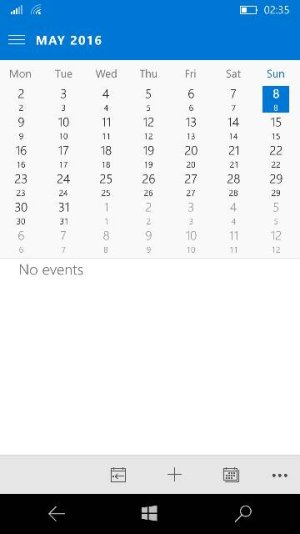
L lpj_640 New member Mar 17, 2016 31 0 0 May 8, 2016 #1 Has anyone else noticed this or know what to do? (Version 17.6868.40732.0 on a L640) Posted via the Windows Central App for Android Attachments 3715.jpg 17.6 KB · Views: 11
Has anyone else noticed this or know what to do? (Version 17.6868.40732.0 on a L640) Posted via the Windows Central App for Android
Rinsun New member Apr 4, 2016 871 0 0 May 8, 2016 #2 You have Gregorian calendar enabled under Alternative calendars. Go to Calendar > settings >Calendar settings >Alternative Calendars ,then uncheck the box against it. Hope this solves your problem.
You have Gregorian calendar enabled under Alternative calendars. Go to Calendar > settings >Calendar settings >Alternative Calendars ,then uncheck the box against it. Hope this solves your problem.
L lpj_640 New member Mar 17, 2016 31 0 0 May 8, 2016 #3 Thanks, had no idea! Posted via the Windows Central App for Android
Rinsun New member Apr 4, 2016 871 0 0 May 8, 2016 #4 lpj_640 said: Thanks, had no idea! Posted via the Windows Central App for Android Click to expand... I hope your problem has been solved .
lpj_640 said: Thanks, had no idea! Posted via the Windows Central App for Android Click to expand... I hope your problem has been solved .