
Can anyone explain how to fix this?
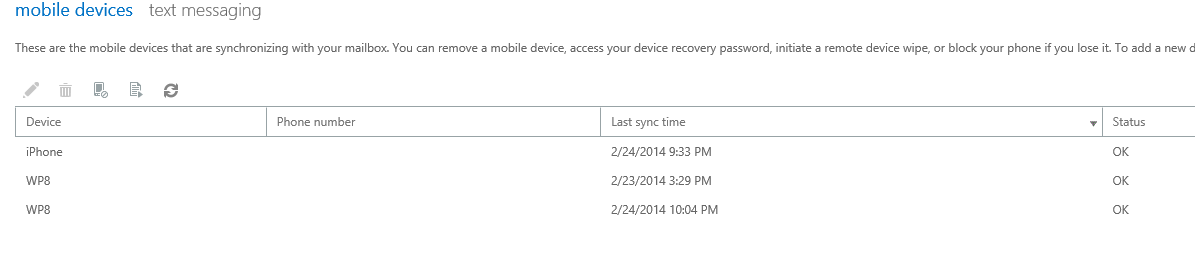
The email I received read..."You have 10 phone partnerships out of the maximum allowed 10 partnerships. After you reach the maximum, you can't create additional partnerships until you delete existing ones from your account. To do so, sign in to Outlook Web App, click Options>Phone>Mobile Phones, and delete any unused partnerships."
So here is the problem.... after signing into the web app that I think they mean, and found options, when I clicked on it nothing related to phones was listed.
Has anyone had this issue? If so, how did you resolve it?
The email I received read..."You have 10 phone partnerships out of the maximum allowed 10 partnerships. After you reach the maximum, you can't create additional partnerships until you delete existing ones from your account. To do so, sign in to Outlook Web App, click Options>Phone>Mobile Phones, and delete any unused partnerships."
So here is the problem.... after signing into the web app that I think they mean, and found options, when I clicked on it nothing related to phones was listed.
Has anyone had this issue? If so, how did you resolve it?




 Facebook
 Twitter
 Instagram