how have you updated to latest build (10586.107) on low storage devices?

Doods Dumaguing

New member
Mar 19, 2013
5
0
0
wp_ss_20160212_0001.pngwp_ss_20160212_0002.pngwp_ss_20160212_0003.pngwp_ss_20160212_0004.png

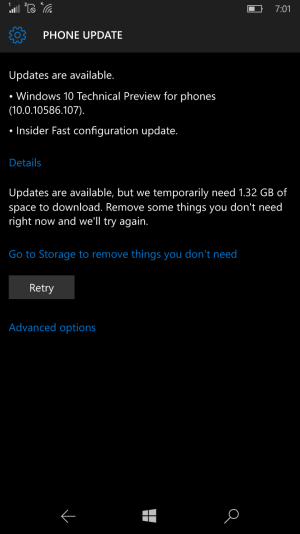
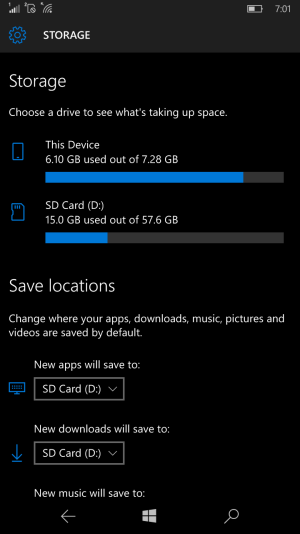
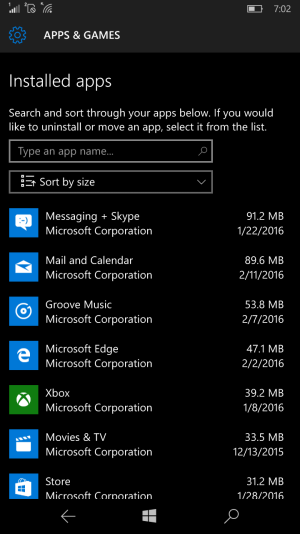
Previous updates were just about <900MB, so I had no problem with it on my Lumia 640 XL. Now it's 1.32GB. Clearly, I have not enough space on phone storage for the download. Remaining apps installed on phone storage are both unmovable and un-uninstallable.

Have you any workarounds for this?
 
Sorry. No real work around. But I upgrade 640's out of the box almost daily now. (deploy them)

I'm betting you got offload some stuff to a PC temporarily and then put it back after update. Unless that's all apps?
In that case either uninstall or move some big ones to SD.
No way around it. You gotta make room on native storage.
 
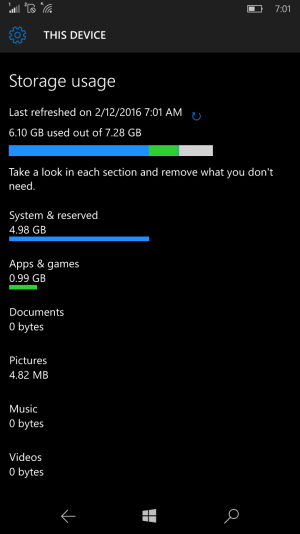
There's nothing really more to offload. By the screenshots above, it could be deduced that even clearing those in other category, if even possible, would not still be enough for update size.
 
There's nothing really more to offload. By the screenshots above, it could be deduced that even clearing those in other category, if even possible, would not still be enough for update size.

Interesting things. I got a 520, and I noticed a big amount of System files in the past I guess due to old upgrade installation files backupped.
That's why after an hard reset, system film returned to original 4 GB of first Win10 upgrade
 

Forum statistics

Threads
342,689
Messages
2,265,767
Members
428,875
Latest member
Reneed