

- Jul 18, 2012
- 931
- 0
- 0
I have a lot of albums downloaded from iTunes (Yeah laugh, there's no Xbox music store in India).
ITunes downloads these as m4a files. I check using mp3tag and it confirms that there's a 600x600, album art embedded in each file. Windows media player, iTunes and Xbox music for Windows 8.1 can ask see the album art.
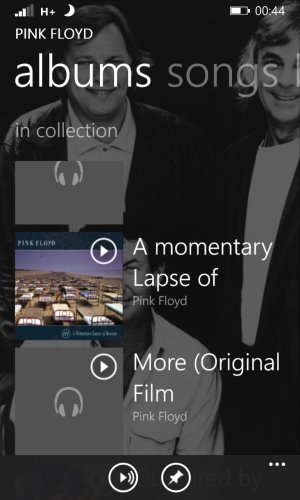
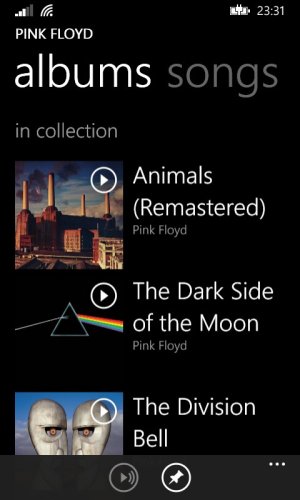
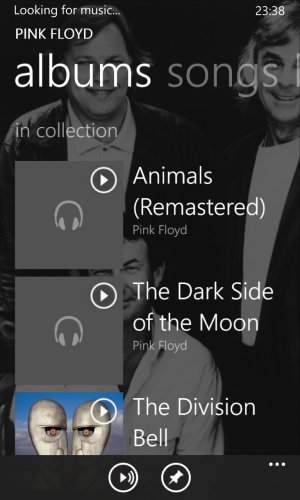
I sync these files to my Windows phone 8.1 using Windows media player, which converts the file to .wma. The Xbox music app on the phone doesn't see album art for most of them. Thinking that Windows media player removed the album art during conversion and sync, I copied the converted files from the phone back to the computer and mp3tag says that it still has the 600x600 album art.
I tried copying the .m4a files as it is from the PC to the phone, same results. The grey squares look so ugly and I don't feel like listening to music at all.
Any help?
P.S. I am not talking about the artist background image (which is fine)
ITunes downloads these as m4a files. I check using mp3tag and it confirms that there's a 600x600, album art embedded in each file. Windows media player, iTunes and Xbox music for Windows 8.1 can ask see the album art.
I sync these files to my Windows phone 8.1 using Windows media player, which converts the file to .wma. The Xbox music app on the phone doesn't see album art for most of them. Thinking that Windows media player removed the album art during conversion and sync, I copied the converted files from the phone back to the computer and mp3tag says that it still has the 600x600 album art.
I tried copying the .m4a files as it is from the PC to the phone, same results. The grey squares look so ugly and I don't feel like listening to music at all.
Any help?
P.S. I am not talking about the artist background image (which is fine)
Last edited:





 Facebook
 Twitter
 Instagram