
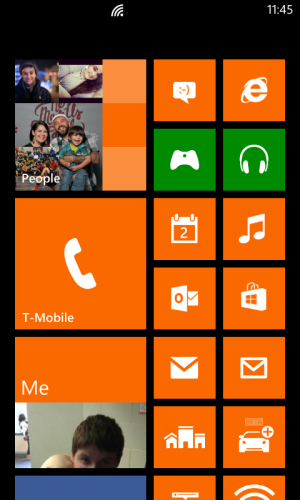
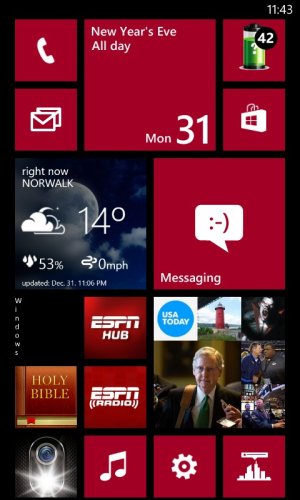
Post your 810's home screen!
- Thread starter metalchick719
- Start date
You are using an out of date browser. It may not display this or other websites correctly.
You should upgrade or use an alternative browser.
You should upgrade or use an alternative browser.


- Oct 4, 2012
- 2,353
- 1
- 0
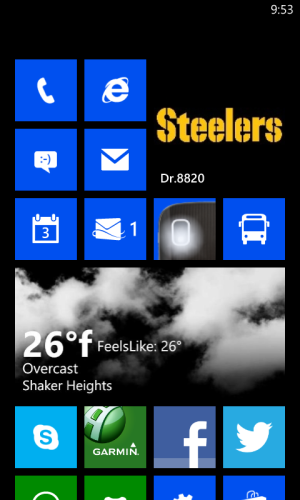
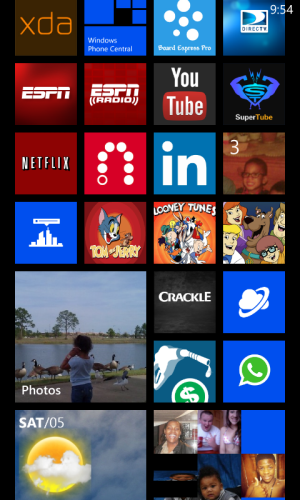
FINALLY, here's my home screen... Sorry about the Skydrive links. I actually tried to attach these pics last night but was unsure of how to do so. There are a couple of things different since I snapped these shots, though - textPlus app is gone because it wouldn't work (  ) and "MyAccount" app is unpinned and replaced by a battery level one.
https://skydrive.live.com/#cid=5AB8D1DA42F26AFB&id=5AB8D1DA42F26AFB!108
https://skydrive.live.com/#cid=5AB8D1DA42F26AFB&id=5AB8D1DA42F26AFB!109
) and "MyAccount" app is unpinned and replaced by a battery level one.https://skydrive.live.com/#cid=5AB8D1DA42F26AFB&id=5AB8D1DA42F26AFB!108
https://skydrive.live.com/#cid=5AB8D1DA42F26AFB&id=5AB8D1DA42F26AFB!109

Mystictrust
New member
- May 26, 2011
- 976
- 0
- 0
Can't see the photos. Unless you deleted them, they have to be shred with public when on skydrive. If you want to post a picture on the forums, you can either upload to tinypic.com and grab a forums link from there, or click on the 'Insert Image' icon when writing out a post. It's the one directly to the right of the graphic of earth with a little red X on it.
- Oct 4, 2012
- 2,353
- 1
- 0
Oops... tinypic, Photobucket and ImageShack and all those image sharing sites I'm totally familiar with, but I'm still a n00b when it comes to SkyDrive.  Ahh, I think I fixed the issue now.
https://skydrive.live.com/#cid=5AB8D1DA42F26AFB&id=5AB8D1DA42F26AFB!108
https://skydrive.live.com/#cid=5AB8D1DA42F26AFB&id=5AB8D1DA42F26AFB!109
I rearranged a couple more tiles yet again since these were snapped.
Ahh, I think I fixed the issue now.https://skydrive.live.com/#cid=5AB8D1DA42F26AFB&id=5AB8D1DA42F26AFB!108
https://skydrive.live.com/#cid=5AB8D1DA42F26AFB&id=5AB8D1DA42F26AFB!109
I rearranged a couple more tiles yet again since these were snapped.

Mystictrust
New member
- May 26, 2011
- 976
- 0
- 0

WinnerByRNC
New member
- Nov 13, 2012
- 11
- 0
- 0
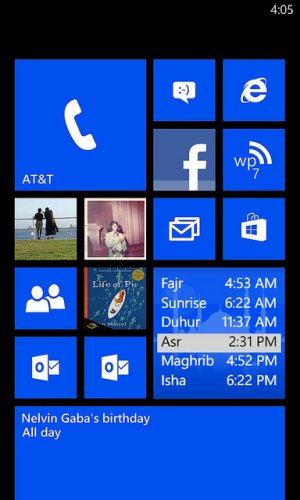
I have to admit...I really love my Windows Phone 810. With the help of WPCentral it?s like we are on the verge of something special everyday as new apps or innovations come out.
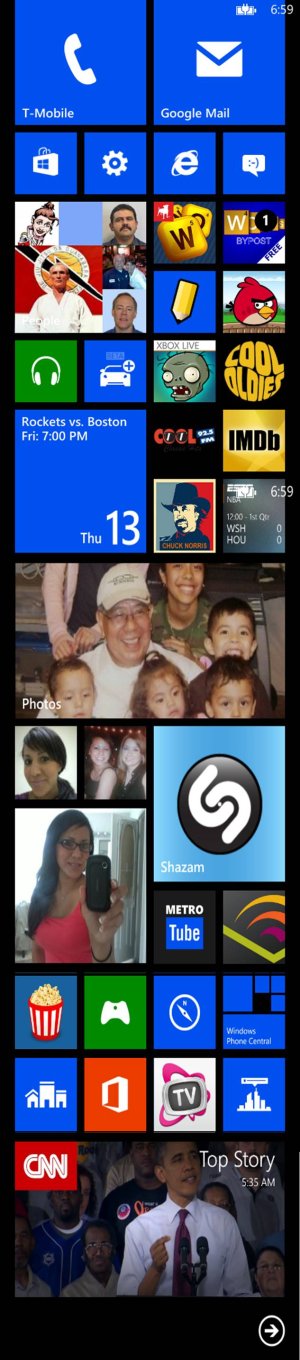


kittengirl
New member
- Oct 25, 2012
- 205
- 0
- 0
So how are all of you getting the "photos" tile to show your own albums? MIne defaults to the demo photos no matter what I do. In fact, I even deleted the sample photos and it still shows them on the tile - and they aren't even on my phone anymore!

iloveamystery
New member
- Apr 12, 2012
- 179
- 0
- 0
So how are all of you getting the "photos" tile to show your own albums? MIne defaults to the demo photos no matter what I do. In fact, I even deleted the sample photos and it still shows them on the tile - and they aren't even on my phone anymore!
I'd try rebooting the phone. They shouldn't still be there. Otherwise you can add specific photos to your Favorites and the live tile should cycle through those. It's not necessary to add them to your favorites to cycle, but I pose it as an option if rebooting doesn't fix your live tile issue.
kittengirl
New member
- Oct 25, 2012
- 205
- 0
- 0
Thanks, but trust me, it has been rebooted many times since I removed the sample photos. I have also added favorites, all to no avail. I still have the stupid deleted sample photos cycling through on my photos live tile.
ETA: Well, I finally got the tile to work by changing my background photo in the photo app. Not sure why that triggered it, but it did. Very odd.
ETA: Well, I finally got the tile to work by changing my background photo in the photo app. Not sure why that triggered it, but it did. Very odd.
Last edited:

DarkSpartan017
New member
- Oct 29, 2012
- 13
- 0
- 0
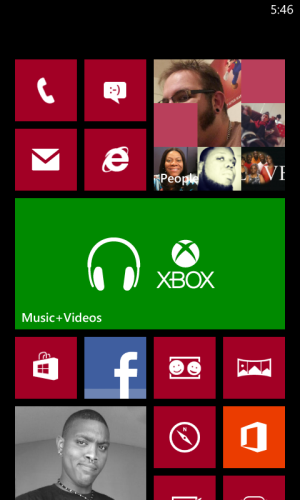
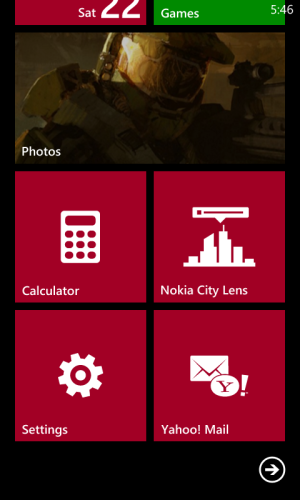
Recently got my 810 last week thought I'd introduce myself here with my semi-current start screen.
coribobori
New member
- Dec 27, 2012
- 1
- 0
- 0
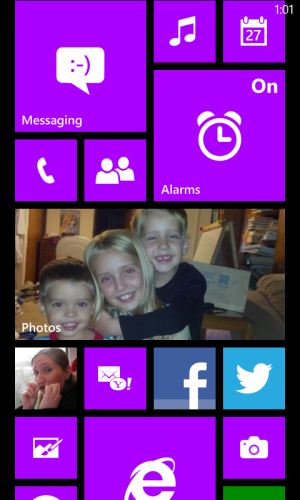
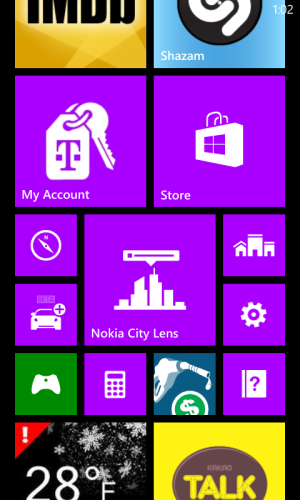
Aleksandr Gurmeza
New member
- Jan 3, 2013
- 46
- 0
- 0


RoyalAdonis
New member
- Aug 31, 2012
- 7
- 0
- 0
Here's my home screen, just rearranged it a few hours ago lol...
https://skydrive.live.com/redir?resid=C71962D31FB4F487!219&authkey=!ALXXYBUBf36rs_o
https://skydrive.live.com/redir?resid=C71962D31FB4F487!220&authkey=!ANYAphfuBgKKNbc
https://skydrive.live.com/redir?resid=C71962D31FB4F487!221&authkey=!AKRs3SyuuGlxhAs
https://skydrive.live.com/redir?resid=C71962D31FB4F487!219&authkey=!ALXXYBUBf36rs_o
https://skydrive.live.com/redir?resid=C71962D31FB4F487!220&authkey=!ANYAphfuBgKKNbc
https://skydrive.live.com/redir?resid=C71962D31FB4F487!221&authkey=!AKRs3SyuuGlxhAs




Mystictrust
New member
- May 26, 2011
- 976
- 0
- 0
Yes, and it's annoying. What I do when it happens is open up the app and then hit the home button. If that doesn't work, I open the app again and hit the back button. If that doesn't work, I open it and browse to some random story, open it, then hit the home button. I can't stand that black square with the vertical "Windows" just staring at me, ruining my layoutHere's mine... The WPCentral app lost it's color for a while when I took this screenshot. It does this from time to time.
Similar threads
- Question
- Replies
- 0
- Views
- 5K
- Replies
- 2
- Views
- 43K


- Replies
- 6
- Views
- 14K

- Replies
- 1
- Views
- 9K


Trending Posts
-

-
Question Win-11 - Problem with moving files from C: to New Partition on E:
- Started by fasteddie01
- Replies: 2
-
 Question Windows 11 and Linux on separate drives?
- Started by Verax
- Replies: 2
-

-
 I'm looking for a CalDAV, CardDAV client for Windows
- Started by xandros9
- Replies: 1
Forum statistics

Space.com is part of Future plc, an international media group and leading digital publisher. Visit our corporate site.
© Future Publishing Limited Quay House, The Ambury, Bath BA1 1UA. All rights reserved. England and Wales company registration number 2008885.
 Facebook
 Twitter
 Instagram