But what I don't get is what the smart chargers are doing if it's the battery that determines the power that's pulled. And how is one supposed to know if a smart charger is fully compatible with a phone. Seems like lots of irresponsible branding out there.
Where do I confirm this, that the 640 is Quick Charge compatible? It's not anywhere on the 640s MS page. I'm not saying you're lying, but again as per my previous comment, how are we the consumers supposed to know that?
EDIT: A bit of reading on the Qualcomm site brought up the fact that QC 2.0 is available on the Lumia 640's Snapdragon 400 processor. Now I just need to learn how QC works because I find it fascinating. So, is there any one QC charger brand that is best?
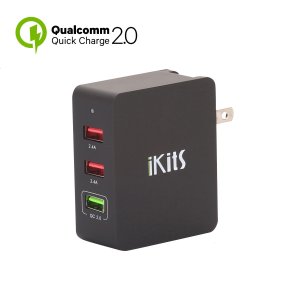
I would recommend finding one that says Quick Charge 2.0 Certified, and not Quick Charge 2.0 Capable or compatible. Certified means it has been reviewed by Qualcomm to be fully compliant with the standard. Compatible just means it is a charger that will charge a QC 2.0 device, not that it necessarily is compliant. It's a marketing twist that is liable to mess up your device. Get one that says Certified, and you should be good to go.
Now, as far as Smart charging, the way it works is that there is circuitry inside the charger that talks to circuitry inside the phone or device being charged. The circuitry in the device monitors the charge state of the battery being charged, and tells the charger over a data line when to slow down the charge because it approaching capacity, and when to stop sending a charge, or when to start "trickle charging."
Chargers that are not smart chargers leave the current available at all times, and your device will just draw whatever it is capable of drawing, and in some cases it can draw power rather inefficiently, which is why some chargers will cause your phone to heat up while charging. That type of charger will kill the longevity of your battery.
So, this has NOTHING at all to do with USB3.0 and 2.0 because that's about data transfer rates, correct? So are these QC ports USB 3 or 2 or non-relevant?
No, nothing at all to do with USB 3.0, 3.1, 2.0, etc. Nothing about data transfer rates. There are some QC 2.0 ports that are USB 3, some are USB 2, some are USB-C connectors with USB 3.0, 3.1, or even 2.0 on the USB-C connector. It only has to do with the method of charging the circuitry in the device will implement.
FYI, this is why your phone powers ON to charge and why it won't take a charge while powered off. It is also why if you discharge your battery to zero percent (I mean complete depletion, not just 0% according to the meter on your device), it will be unable to charge, as the device circuitry won't be able to detect the battery. The batteries also have a bit of circuitry to help with charging and it requires a bit of charge from the battery to be able to communicate and recognize the battery. There is a way to manually jump start them, but it takes a special setup to be able to do so. I keep the equipment on hand, just in case, and have saved a few people who pulled out an old backup phone only to discover it was completely dead and couldn't be charged. With their "current" phone now broken, they had no backup because of a dead battery. This is why you charge the battery to 60% and remove it from the device when you store it. Once a year, plug the battery back in and charge it to 60% again.
Okay, Too Much Info, I know.



 . Snapdragon 400 is outdated anyway.



 Facebook
 Twitter
 Instagram