What the heck is wrong with this phone!!!!

doghouseriley

New member
Apr 12, 2015
68
0
0
Just out of the box and major 950 issued. Cannot access settings, add accounts or do anything other than make calls (which sound exceptional). Anyone else having software issues??

Posted via the Windows Central App for Android
 
Just out of the box and major 950 issued. Cannot access settings, add accounts or do anything other than make calls (which sound exceptional). Anyone else having software issues??

Posted via the Windows Central App for Android

Try a factory reset? Might help.
 
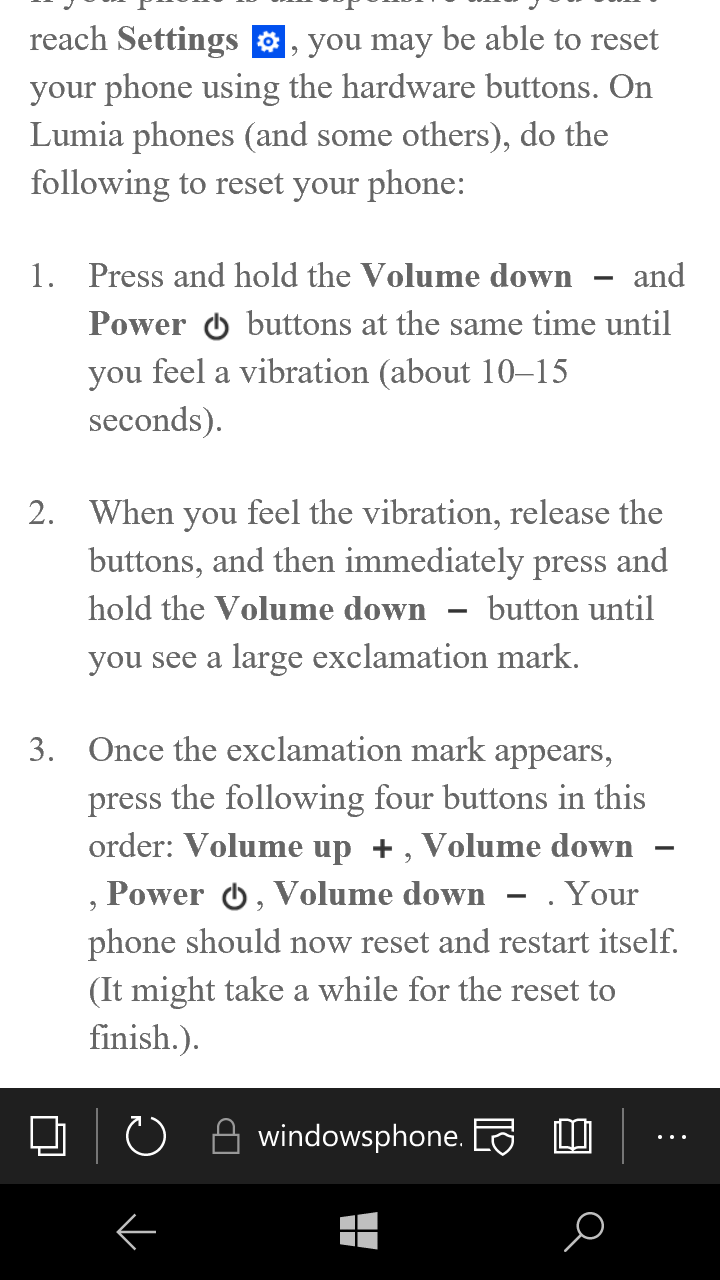
It won't reset. Just stays in reset mode for hours doing nothing.

Posted via the Windows Central App for Android
 
try windows device recovery tool?? no clue if the is supported yet, but it could have just been a bad flash at factory
 
dbd0704212b523fd2ca48d2325f4f3d9.png


U try the reset with the hardware buttons?
 
Success. Thank you so much. Now can someone tell me how to get this to recognize my SD card pics and where the heck is the double tap to wake feature.


Settings and storage sense it should work in there. If not reinsert it since u just hard reset it
 
Just a reminder, this latest build of W10m has problems with factory resets. Use the Windows Device Recovery Tool if you need to reset it.
 
Just a reminder, this latest build of W10m has problems with factory resets. Use the Windows Device Recovery Tool if you need to reset it.

Only if you are upgrading from an earlier build (w10m or wp8.1). New phones like the 950 and XL will not be affected by this bug.
 
Just a reminder, this latest build of W10m has problems with factory resets. Use the Windows Device Recovery Tool if you need to reset it.


Only if u hard reset in the previous build. The fix for that Is to use the hardware buttons to hard reset
 
Double Tap to Wake does not appear to be included/enabled right now. Hey Cortana is no longer in the settings app. To activate Hey Cortana, open Cortana and go to the Notebook. The option is under Settings.
 
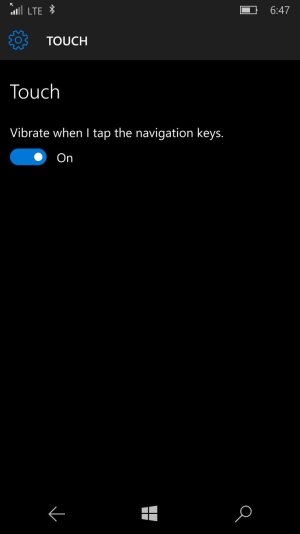
Double Tap to Wake is under Settings > Extra > Touch. Toggle switch there to turn it on or off.

Double Tab Nav Bar to sleep is under Settings > Personalization > Lock screen, and scroll to bottom.

Not sure why they separate that.
 
Double Tap to Wake is under Settings > Extra > Touch. Toggle switch there to turn it on or off.

Double Tab Nav Bar to sleep is under Settings > Personalization > Lock screen, and scroll to bottom.

Not sure why they separate that.

Do you have a 950? Because people who own them are reporting that it's not under settings-extra-touch. I'm just repeating what I read, I won't get mine until tomorrow night.
 

Trending Posts

Forum statistics

Threads
343,251
Messages
2,266,332
Members
428,902
Latest member
niedrie