Black & White photography

Brenda Smeby

New member
Jan 11, 2014
37
0
0
Has anyone been able to take B&W photos on the Icon and if so, how to do it? I love doing B&W but I haven't been able to find an option for it and I'm not that familiar with manual options. I remember having scene settings on the 928, or maybe it was a previous version of Nokia camera?
 
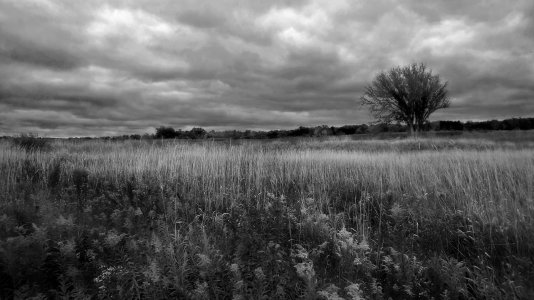
This is how I get black and white's.
Not in the camera, but afterwards run the image thru the black and white "filter" in Photoshop..

WP_20140922_15_53_35_B&W.jpg
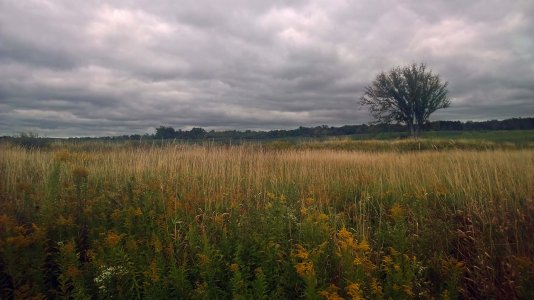
And the before...
WP_20140922_15_53_35_b.jpg.
 
Oh the excitement of watching a black and white picture develop in front of your eyes in a red light darkroom, the smell of developer and fixer chemicals, the adjustment and dodging of exposure times.

Thankfully I don't have to do that again :smile:

And before any photographic purists come on saying you can't make a proper B&W photo from a colour one, think about this, all B&W film is, is in effect a filter, the light heading down the lens is in colour but the film is only sensitive to black and shades of grey (Well monochrome light) so it is already filtered.

So no issues of turning a colour picture into B&W after the event as shown in the example above.


Bob

 
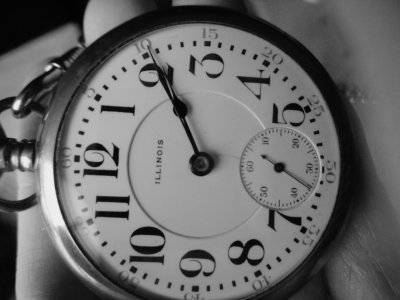
With Black app. Kodak Tri-X 400

Sent from my Nokia Lumia 920 via Tapatalk
 

Attachments

  • BLACK_28_09_2014 15_10_47.jpg
    BLACK_28_09_2014 15_10_47.jpg
    1.5 MB · Views: 3
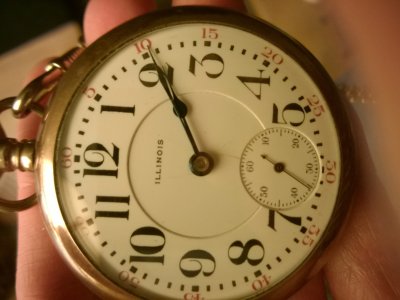
Original photo
Sent from my Nokia Lumia 920 via Tapatalk
 

Attachments

  • WP_20140918_02_12_39_Pro.jpg
    WP_20140918_02_12_39_Pro.jpg
    1.7 MB · Views: 3
There isn't a B&W "in camera" option. However, once you take the picture you can Lumia Creative Studio which has three B&W filters... B&W Strong, B&W Antique (more of a sepia), and B&W Faded. However, you'll probably get more satisfying results using Photoshop's default B&W filter or a customized conversion within Photoshop.
 
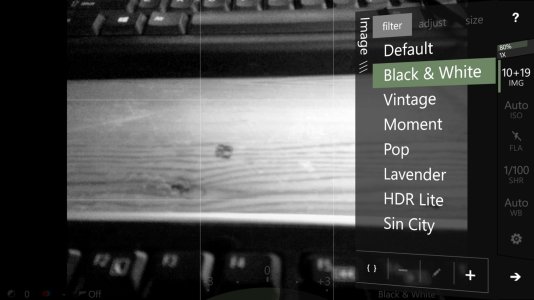
In the OneShot app there are 3 different B&W filters the mono red, mono green and blue, but picking one of those will give you a black and white image, it's just the 3 different option would be like using a red, green or blue filter with black & white film. But after you pick your filter the image on screen will show as black & white so you can see if you picked the "right" filter
Also don't know if you can tell in this image below, but the upper left hand corner that green colour line, it's a "image shake indicator", the cameras image stabilization still works, it just helps to let you know, and try to be a little more stable, also I have another feature turned on and it too is hard to see in the image attached, but there is a "level" in the center of the "view finder" to help you keep your horizons straight. However even if you don't have that turned on, during after editing there is an auto leveling setting that will straighten the image...


wp_ss_20140928_0001b.jpg
 
Has anyone been able to take B&W photos on the Icon and if so, how to do it? I love doing B&W but I haven't been able to find an option for it and I'm not that familiar with manual options. I remember having scene settings on the 928, or maybe it was a previous version of Nokia camera?
I use ProShot It really lets you have complete manual control of your camera. It also shoots burst mode and also has a real time B&W option. Only complaint is that I cannot make it my default camera app.

wp_ss_20140928_0001.jpg
 
I'm with Laura on BLACK. The whole app is dedicated to black and white photography...
 
I also like the app "Black". The film grain and profiles are beautiful -- really a lot better than just making a picture grayscale.
 

Forum statistics

Threads
342,212
Messages
2,265,290
Members
428,860
Latest member
billBuffer