

- Apr 20, 2015
- 4
- 0
- 0
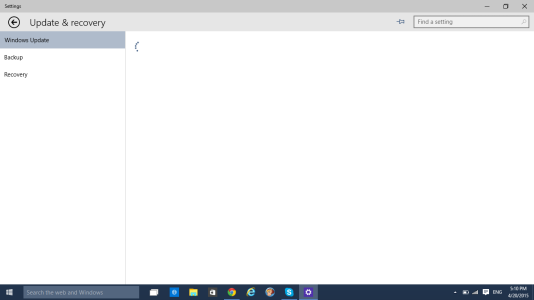
Hi there. I'm having quite a problem updating from 10049 to the newest build. For some strange reason, when I visit the updates window, the rotating gif is just displayed and nothing else. I've waited hours for anything, and still, nothing.
When it's showing the loading gif, if I move my mouse anywhere in the window, I can hover over links which seem to be invisible (I click a invisible link then it takes me to a new window). I've looked everywhere and can't seem to find a solution.
Any help would be greatly appreciated. Thanks.
When it's showing the loading gif, if I move my mouse anywhere in the window, I can hover over links which seem to be invisible (I click a invisible link then it takes me to a new window). I've looked everywhere and can't seem to find a solution.
Any help would be greatly appreciated. Thanks.



 Facebook
 Twitter
 Instagram