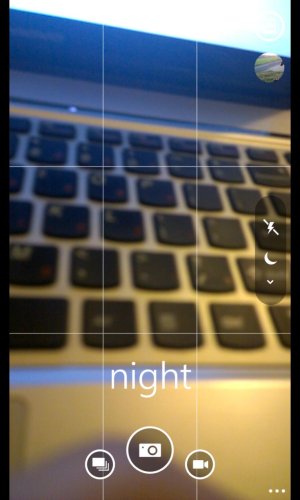
Either I am blind or my phone does not have Night Mode setting

vizagdude

New member
Dec 29, 2009
177
0
0
Guys... I am struggling to find the Night Mode in my NL1020. I've looked at all the settings, but I am not able find it.

I am not able to go to this settings in my device

Lumia_1020_Camera_Settings.jpg


What am I missing. I too this from the review done by WP Central in the article below:

Nokia Lumia 1020 - A closer look at the 41MP PureView camera | Windows Phone Central
 
Well, I might be sounding silly, but can you tell me how to get to the "photo settings" to get that list. I am not sure how to get there...

Its in the Microsoft Camera app. Open the "camera" app (not "nokia pro cam") and press on the ellipse > photo settings...
 
Well, I might be sounding silly, but can you tell me how to get to the "photo settings" to get that list. I am not sure how to get there...

In the camera app, see the three little circles down in the bottom right corner? tap those 3 little circles and that will bring up a menu for you with "photo settings" on it.
 
Thanks pal. I did not realize that Night mode is only available for the stock camera and not for the Nokia Pro camera. This issue was bugging me from the day I got my camera.

Phew... I can sleep well tonight :)
 
In the camera app, see the three little circles down in the bottom right corner? tap those 3 little circles and that will bring up a menu for you with "photo settings" on it.
Well, I know how to get the Night mode when I am in the Photo Settings, my issue was I was not getting the Photo settings when I hit the settings menu. As I have acknowledged, I had the Nokia Pro camera as my default camera and this one did not have the Photo settings and thus the Night mode.

I guess, I would have to use the ISO settings for Pro Cam.

Thanks for all your replies guys... The issue is solved.
 
Well, I know how to get the Night mode when I am in the Photo Settings, my issue was I was not getting the Photo settings when I hit the settings menu. As I have acknowledged, I had the Nokia Pro camera as my default camera and this one did not have the Photo settings and thus the Night mode.

I guess, I would have to use the ISO settings for Pro Cam.

Thanks for all your replies guys... The issue is solved.

Default camera app (Microsofts) night mode only boosts shutter speed to 1 sec. You can get same effect in Pro camera app (Nokias) by setting shutter speed manually to 1 sec. :smile:

Like if there is option for Landscape shots in scene selection, it just probably sets focus to infinity, nothing more. Those scene selections aren't any magical settings. You can do all these manually in Pro camera app. You just need to know what you are doing :wink:
 
Default camera app (Microsofts) night mode only boosts shutter speed to 1 sec. You can get same effect in Pro camera app (Nokias) by setting shutter speed manually to 1 sec. :smile:

Like if there is option for Landscape shots in scene selection, it just probably sets focus to infinity, nothing more. Those scene selections aren't any magical settings. You can do all these manually in Pro camera app. You just need to know what you are doing :wink:
Yup, I figured, what ever settings that are predefined under 'Scenes' options for the default camera can be set with the manual settings on Pro. I am not yet familiar with the manual settings and probably lazy to figure it out. That was the issue. :)
 

Trending Posts

Forum statistics

Threads
343,548
Messages
2,266,636
Members
428,914
Latest member
Michael Niehaus