

- Jul 29, 2013
- 3,417
- 0
- 36
How unfortunate that the Lumia 636 which I recently acquired is not yet getting the Lumia Denim update in the Philippines - https://forums.windowscentral.com/e...vailability-in-asia-pacific%2F&token=yqCGVrNO
However, I discovered a way to get it. Here's how.
1. I used the Lumia Software Recovery Tool to refresh the phone. The current software version is 01061.00066.14235.39002.
2. I installed Windows Insider app and configured it for Insider Fast.
3. Invoked phone update and it picked up update 8.10.14219.341
4. Let the update complete and the phone will reboot.
5. There will be a prompt that Windows 10 update is available. I umplugged the charger, turned off Wi-Fi and 4G.
6. Uninstalled the Windows Insider app.
Here's my Lumia 636 now...
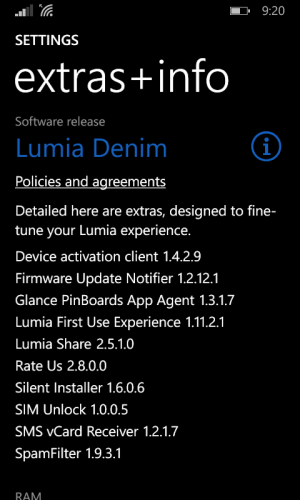
I already configured the apps and themes that's why the next screenshot is already the light background.
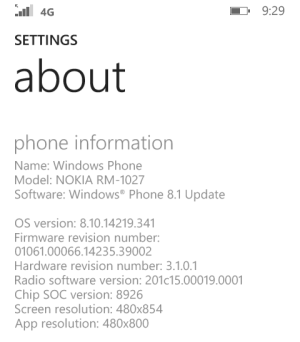
So there, I'm now enjoying the Lumia Denim on my Lumia 636.
However, I discovered a way to get it. Here's how.
1. I used the Lumia Software Recovery Tool to refresh the phone. The current software version is 01061.00066.14235.39002.
2. I installed Windows Insider app and configured it for Insider Fast.
3. Invoked phone update and it picked up update 8.10.14219.341
4. Let the update complete and the phone will reboot.
5. There will be a prompt that Windows 10 update is available. I umplugged the charger, turned off Wi-Fi and 4G.
6. Uninstalled the Windows Insider app.
Here's my Lumia 636 now...
I already configured the apps and themes that's why the next screenshot is already the light background.
So there, I'm now enjoying the Lumia Denim on my Lumia 636.



 Facebook
 Twitter
 Instagram