When I take a picture in Portrait view it switches to Landscape in my albums

KaraNari

New member
Oct 30, 2012
27
0
0
I don't know if I accidentally hit a button or something, but every time I take a picture in regular portrait view, it switches it to landscape when I swipe over to look at it or look at it via albums. I don't understand why it is doing this? I reset the camera but it's still doing it.

 
common problem with the overzealous accelerometer. this happens a lot if you're taking a picture straight down, like taking a picture of a piece of paper on a table with camera on top.
just go into edit and rotate it manually.
 
Last edited:
Even if I take a picture from far away it still does it. It's just weird, I was outside taking pictures all morning and it was fine, and then in the afternoon it randomly started turning everything sideways.
 
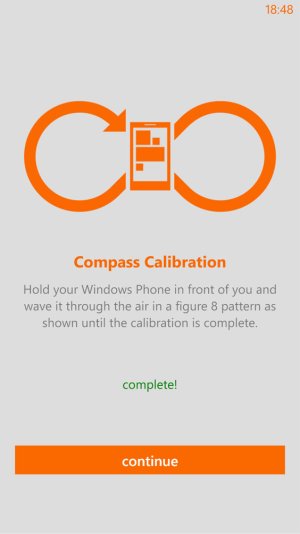
Maybe try the 8 loop motion on the phone. You will calibrate its sensors and then try taking the shots again to see if it worked.
 
How do you get to that screen? I have looked through all my settings but I don't have anything like that. Sorry for all the questions!
 
Sorry, I didnt mean you should get that screen. What i meant was that you follow this motion on your phone after launching your camera app and then take pictures to see if the problem is fixed.
 
Oh! I tried that (And looked very silly haha) but it didn't seem to work. But thanks for trying to help me! :)
 
Hey, can you check in settings if you have turned off auto rotate?
Just make sure its ON.
 
Sorry for such a late reply. I had noticed that nothing on my phone would rotate any more, and it was giving me some hassle in some other areas so I just did a factory reset and everything is fine now. :) But thank you so much for trying to help me!
 

Forum statistics

Threads
343,593
Messages
2,266,681
Members
428,914
Latest member
Michael Niehaus