Four Medium Tiles Lumia 535

Cage Ata

New member
Mar 1, 2014
187
0
0
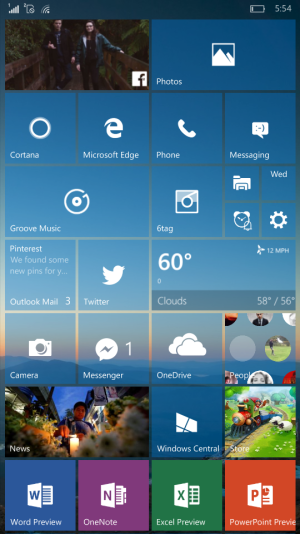
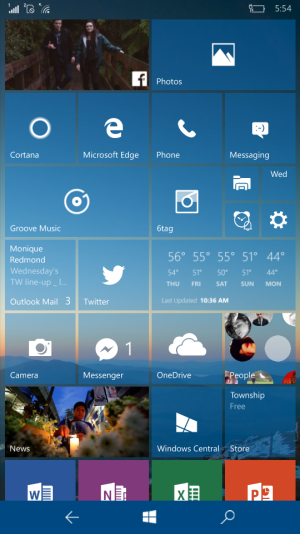
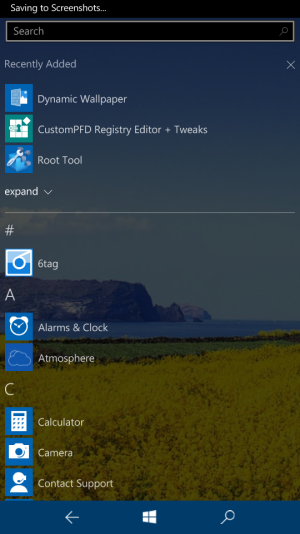
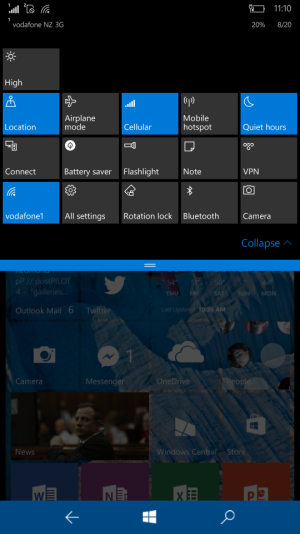
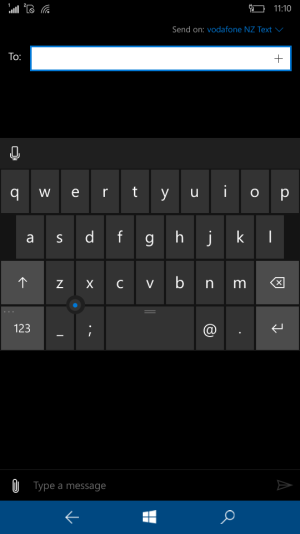
Using the roottoolkix I was able to change start screen layout to four medium tiles! Also smaller navigation bar, floating keyboard and 5 action toggles :) will post pics soon..
 
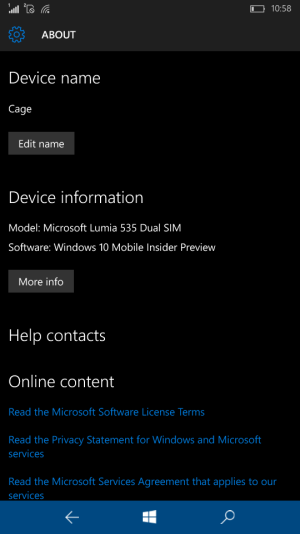
Like I said above using RootToolKit. You will have to do your own scouring to find out how to deploy it :) Here's some screenshots!! Even on a screen size 5" I don't find text too small for the device. In fact I prefer it. The ability to have such an option is awesome, and I don't think I will switch back to the 3 medium tiles anytime soon. Now If only someone knew how to do the same on PC! Using this technique however, creates slow usb device connect to pc, above 3 minutes for my laptop to detect I have attached the 535. Worth it!

wp_ss_20150819_0007.pngwp_ss_20150819_0006.pngwp_ss_20150819_0003.pngwp_ss_20150820_0003.pngwp_ss_20150820_0002.pngwp_ss_20150820_0001.png
 
Last edited:
Tell me, is it hard to do those registry hacks?
I've never done anything on my Lumia. And I'm barely familiar with flashing custom ROMs on Symbian, and some patches for it.
Is it something you can get a hold of easy? Most of the guides on XDA assume I already know all that stuff, so IDK if I'm going to break something.
 
It's not hard, but I would not recommend it. Editing the registry can cause serious repercussions if any step is misguided. If you do a little research on various forums & google (bing) ;) then I'm sure any user could, at their own expense. You need visual studio 2013 & the windows phone 8 (not 8.1) SDK, and various xap files. There a lot to do for such little change, but this ui change is something I had wanted for ages, so I didn't mind risking it.
 
Woh. I need this on my 830. Thanks for the tip.

It's like when the "hack" came out with the ATIV S and we were able to get a 3rd row (that was really impressive, back there...)
 
Like I said above using RootToolKit. You will have to do your own scouring to find out how to deploy it :) Here's some screenshots!! Even on a screen size 5" I don't find text too small for the device. In fact I prefer it. The ability to have such an option is awesome, and I don't think I will switch back to the 3 medium tiles anytime soon.
I tried to enable 4 columns on my 930 and I really can't suggest to anyone, not because everything gets smaller but mainly because small tiles becomes really, really small and hard to use, especially if you have large thumbs...
 
I tried to enable 4 columns on my 930 and I really can't suggest to anyone, not because everything gets smaller but mainly because small tiles becomes really, really small and hard to use, especially if you have large thumbs...
I wanna do this. Can you tell me how did you do this?
 
Doesn't 930 have the ability to just enable it from the settings? It's a 5'' 1080p display, you should be able to. And it's not too small, that's the same thing people were saying when they were going from 2 rows to 3. It's perfect for me.
 
No, not possible you can only choose between 2 and 3. And to answer on 2nd part it is small, the smallest tile is so small and hard to hit, I was on 4 rows for a couple of days and than switched back...
 
Found it, just search 'widescreen tweak'. Some text on interface is too small but overall it's really nice tweak. Thanks for sharing Cage :-)
 
Last edited:

Forum statistics

Threads
342,660
Messages
2,265,737
Members
428,876
Latest member
Ayioluta